HG0018.NET · GUIDE

BatChat installation and support guide

Choose the instructions for your phone. After installation and login, search for support ID 31212362 and send an add request.

BatChat ID: 31212362Search for this ID after installation

Android installation

  1. Open the official BatChat website in your mobile browser.
  2. Select the Android version and download the installer.
  3. Approve installation only after confirming that the source is the official website.
  4. Open BatChat, register or sign in, then search for ID 31212362.
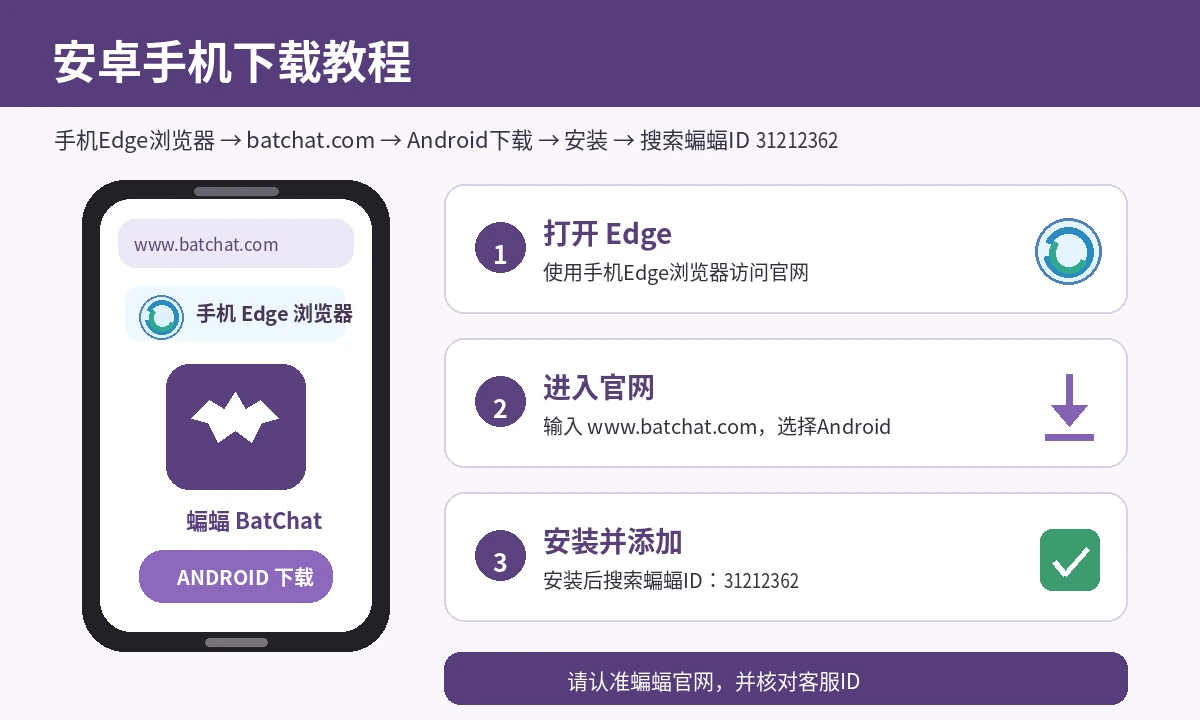
Android installationOpen the official BatChat website

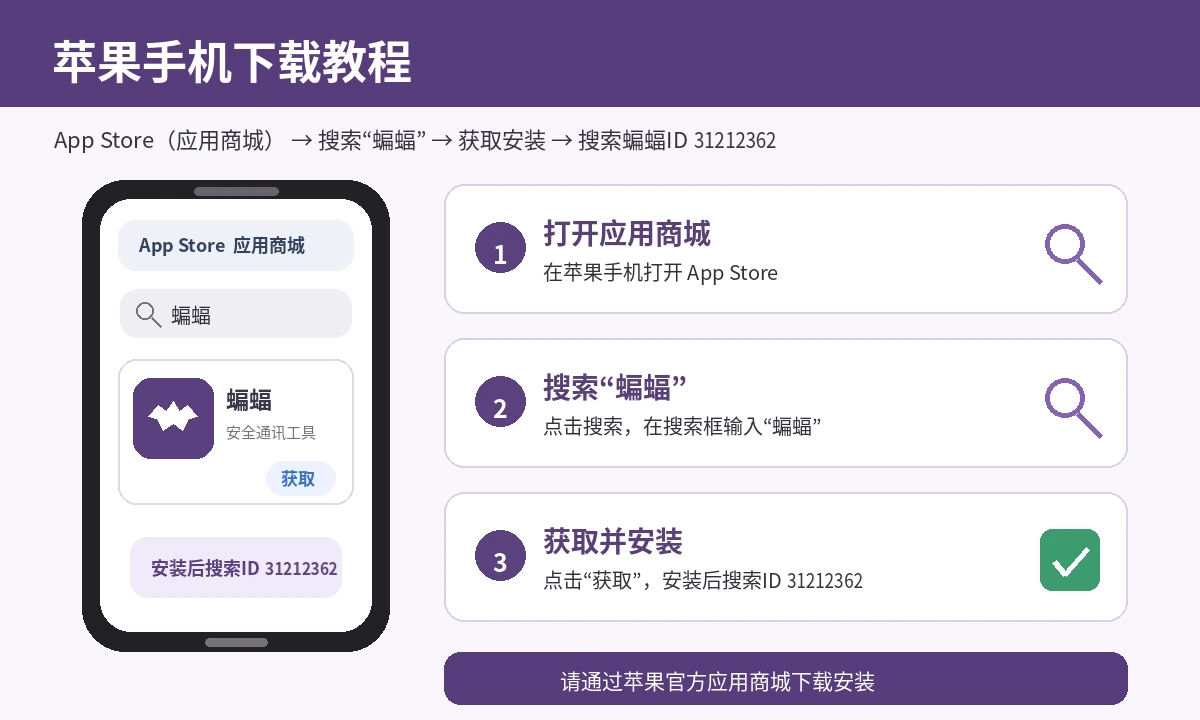
iPhone installation

  1. Open the App Store on your iPhone.
  2. Search for “BatChat”.
  3. Verify the app and developer information, then tap Get.
  4. Open the app, register or sign in, then search for ID 31212362.
iPhone installationOpen the official BatChat website

Security note: download only from the official BatChat website or your phone’s official app store. Do not install packages from unknown sources.

Return to the main website